Redone Max2 (Model RO03)
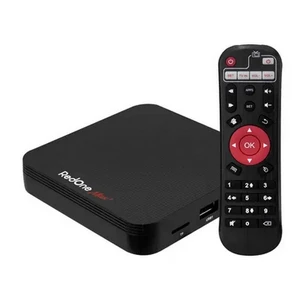
2025.12.19
Important:
This only works with the model number written on the bottom of the TV Box:
RedOne Max2 – RO03
1DOWNLOAD THE FILE (.zip – DO NOT extract)
2PREPARE THE USB DRIVE
- Format as FAT32 (optional, but recommended)
- Copy the .zip file to the USB drive.
- Do NOT extract the file.
- Place the file in the root directory of the USB drive (outside of folders).
3UPDATE ON TV BOX
- Connect the USB drive to the TV Box.
- Open the GUpdate (OTA Update) app (red and white icon)
- Tap on “System Update via USB”
- Select the .zip file from the USB drive.
- Click the refresh button.
- Please wait for the TV Box to restart automatically.
4AFTER THE UPDATE
- Do not turn off during the process.
- After restarting, wait for the system to fully load.
- 5FINAL STEP (REQUIRED)
- To avoid errors and clean up old files:
- Go to:
- Settings > Device preferences > Last item: Reset
- /Done! Your TV Box will be updated and clean.
jp]de []d] g[ih. 💥 Redone Max2 fjhvdo hgd,l 2025>12>23